

スマートフォンアプリ
日本遺産倉敷Navi
" Japan Heritage Kurashiki Navi "
一輪の綿花から始まる
倉敷物語
"The story of Kurashiki begins with a single cotton plant"


Aboutアプリについて


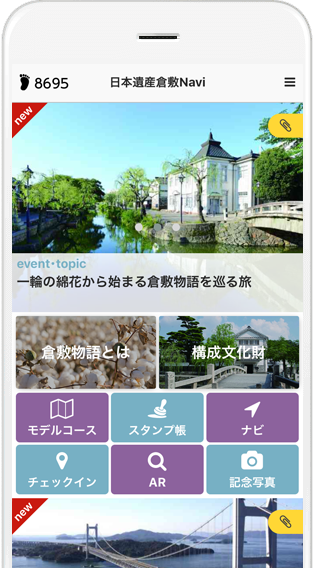
「日本遺産倉敷Navi」は倉敷市の文化遺産の魅力をより分かりやすく伝えていくナビアプリケーションです。
おすすめの名所をモデルコースで巡る「モデルコース」機能と、マップやリスト一覧で、目的のポイントまでご案内する「ナビ」機能があります。
各ポイントには分かりやすい詳細説明もあり、知らない場所でも楽しく巡ることができます。「日本遺産倉敷Navi」をもって、倉敷市を探検し、新たな魅力を発見してみてください。
“Japan Heritage Kurashiki Navi” is an app that guides you to Kurashiki's exciting sightseeing spots and cultural properties recognized as Japan Heritage.
This app provides a "model course" feature that introduces the cultural properties and story that make up the Japan Heritage as well as possible sightseeing routes, and a “Navi” feature that guides you to your target destinations.
The app provides basic information and a description of each tourist destination.
Visit Kurashiki City and discover the charm of the city.
Model Courseモデルコース
スタンプを集めて、おすすめコースを探索!
Collect stamps and find a recommended tour route!
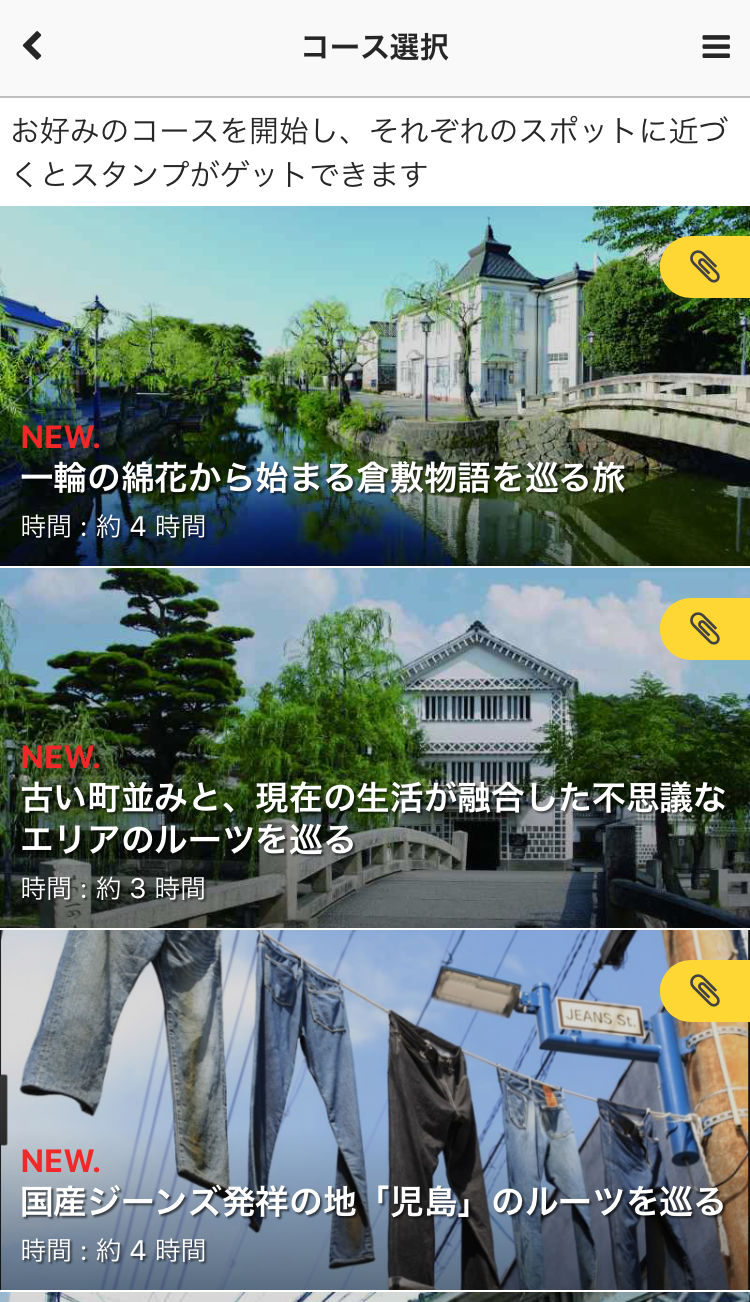
「モデルコース」機能を使うと、スタンプラリーをしながらおすすめスポットを巡ることができます。
By using the "Model Course" feature, you can visit around the recommended spots while doing a Stamp Rally.
歴史や地域の事など、巡れば理解が深まる多彩なコースをご用意しました。
A variety of courses will enrich your understanding of the history and the local events.
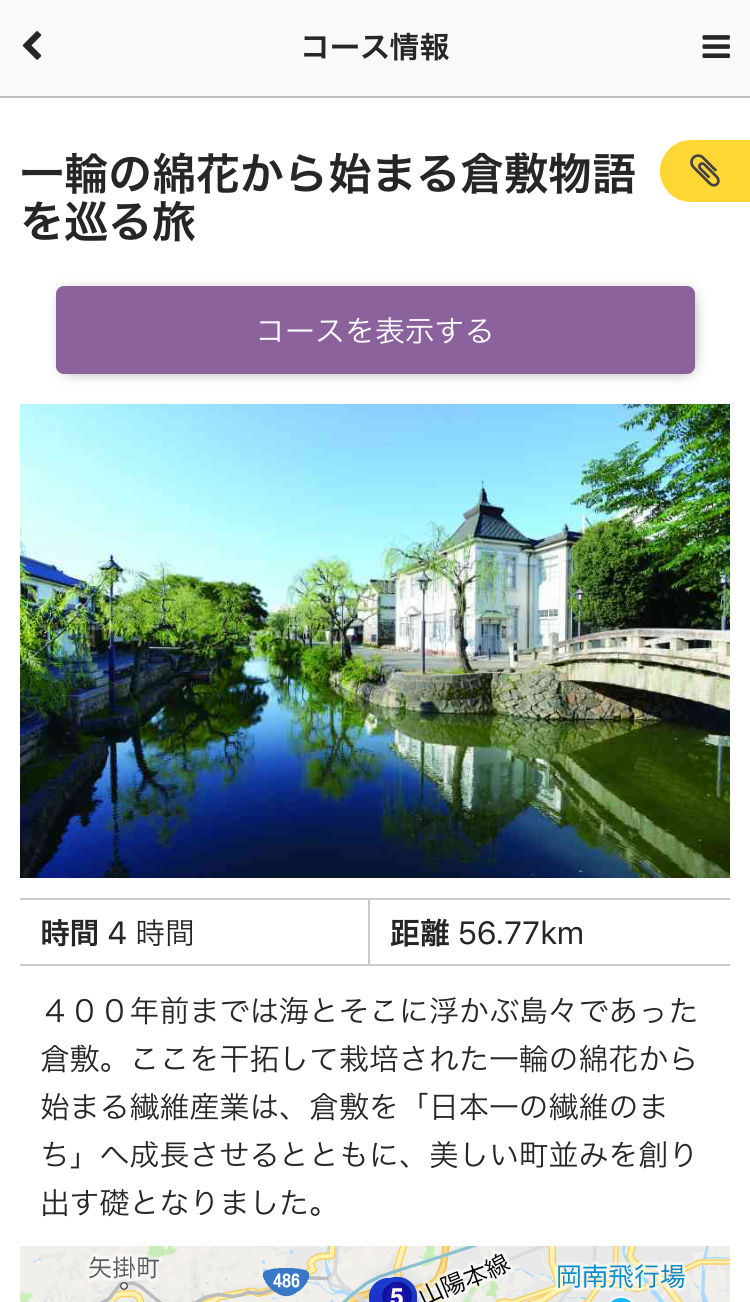
時間や距離、どんなスポットを巡るかを確認しながら、好きなコースを選びましょう!
Make sure your favourite course by checking duration, distance and the spots you can visit!
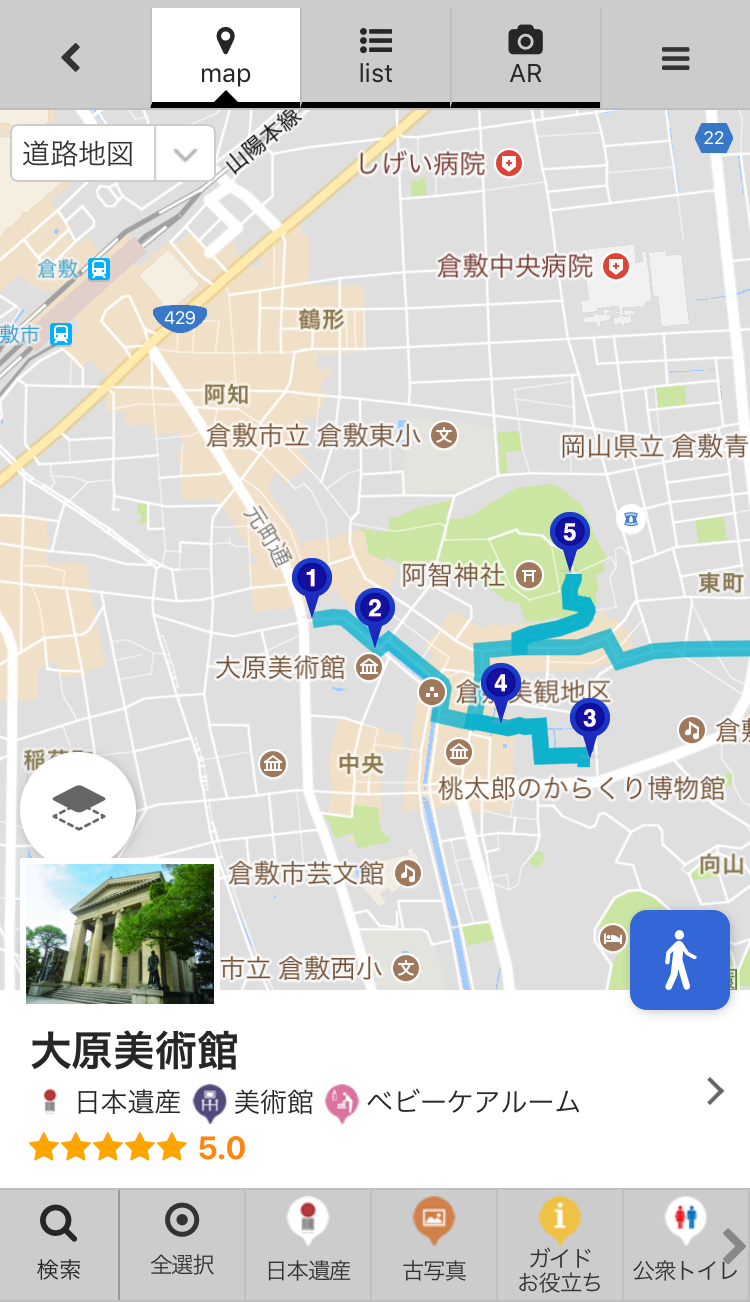
コース中は、スポットが近くなると、音とアイコンでお知らせします。
During the course, you will be informed with sounds and icons when you get close to the spot.
ヨリミチしたくなったら、付近のスポットを表示しましょう。
Display nearby spots when you want to stop on your way.
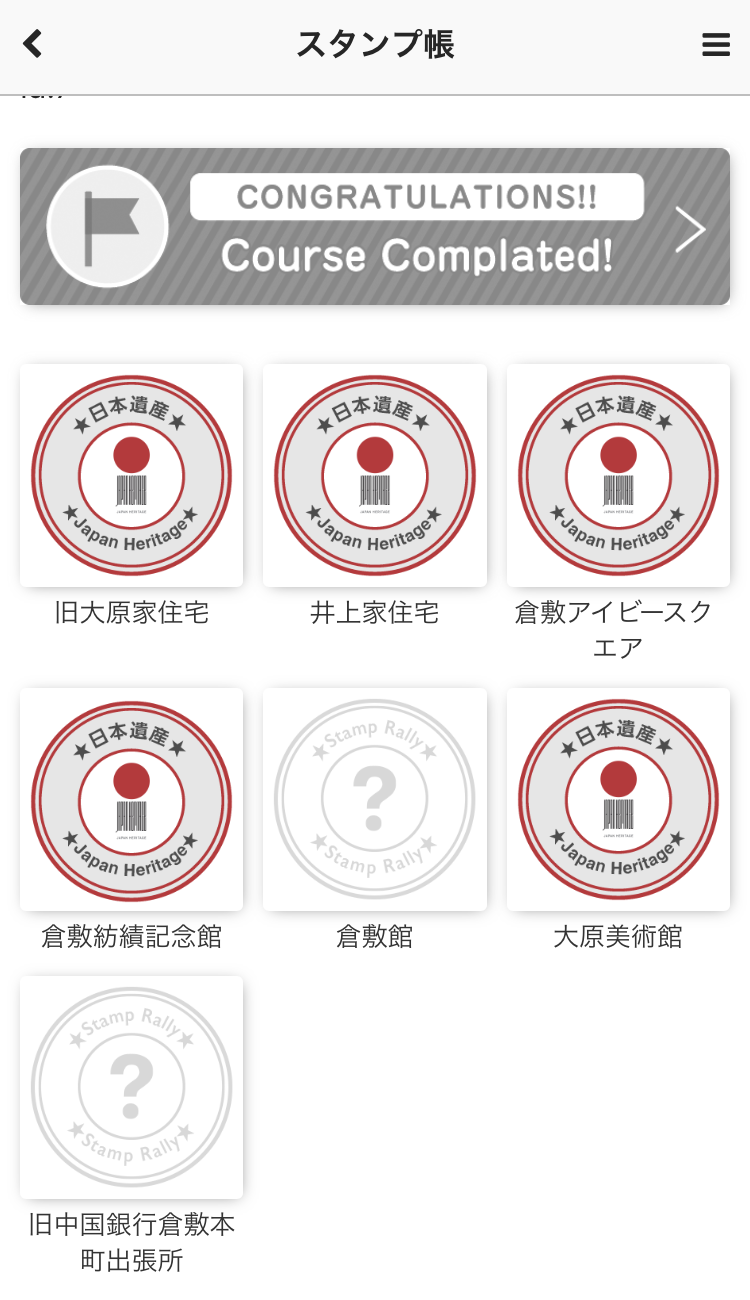
There is a variety of categories of spots.訪れた場所は、スタンプ帳で確認!全制覇を目指そう!
Check the places you visited with the stamp books! Try to complete all of them!


Naviナビ
周辺のスポットをご紹介!
Discover nearby tourist destinations!
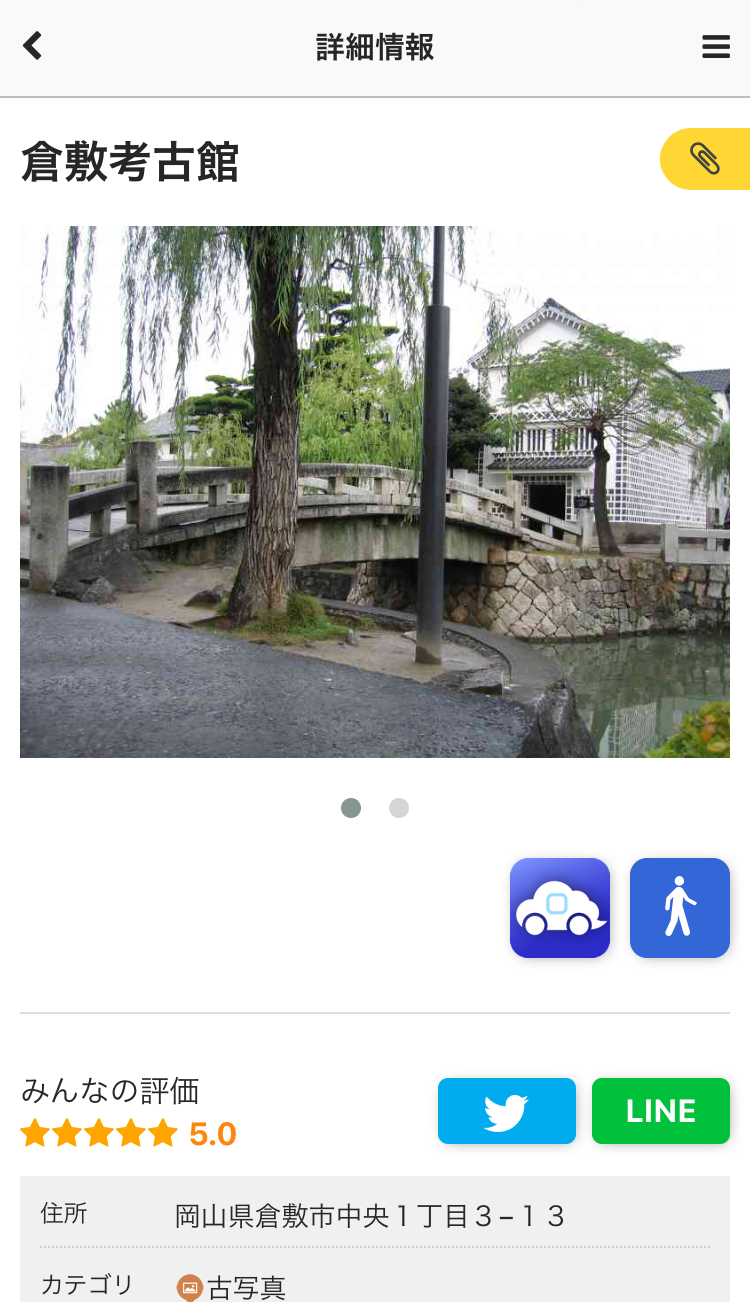
「ナビ」機能を使うと、今いるところから近いスポットが表示されます。
By using the "Navi" feature, nearby spots are displayed from your location.
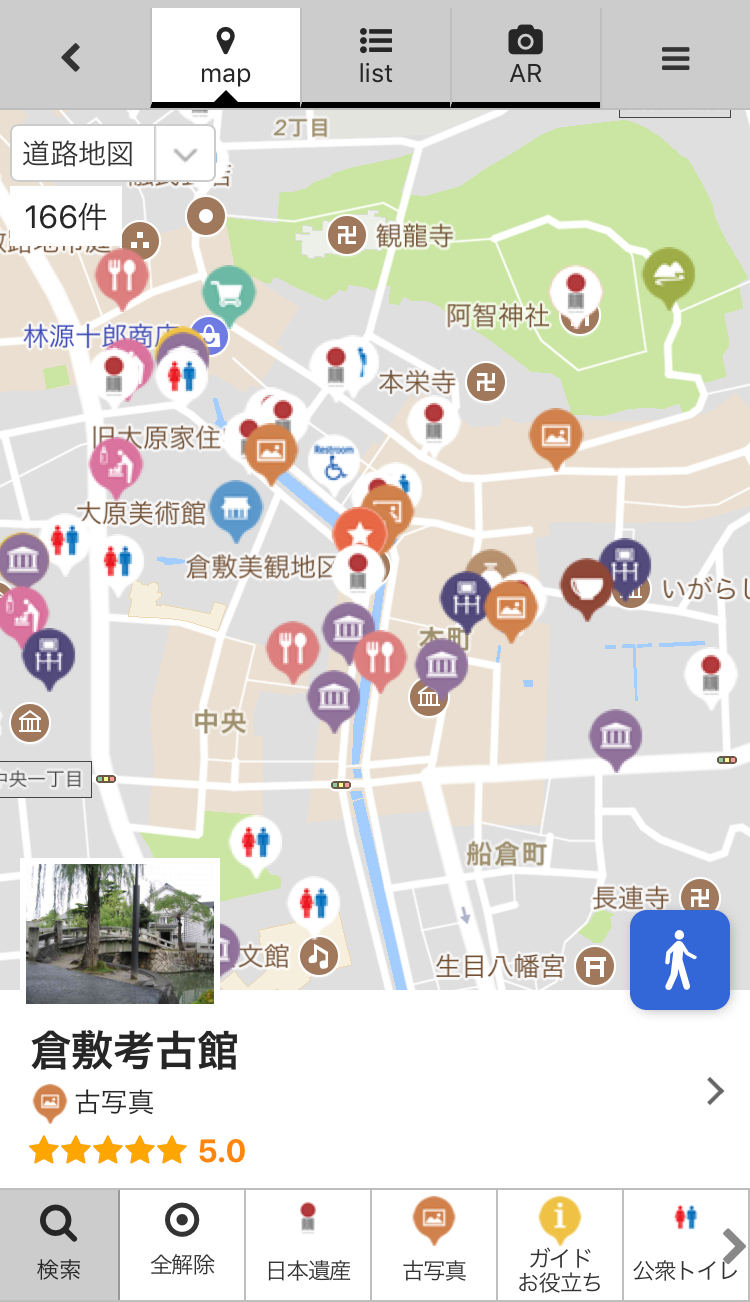
カテゴリーやキーワードで、ピンポイント検索が可能です。
Pinpoint search is possible with categories and keywords.
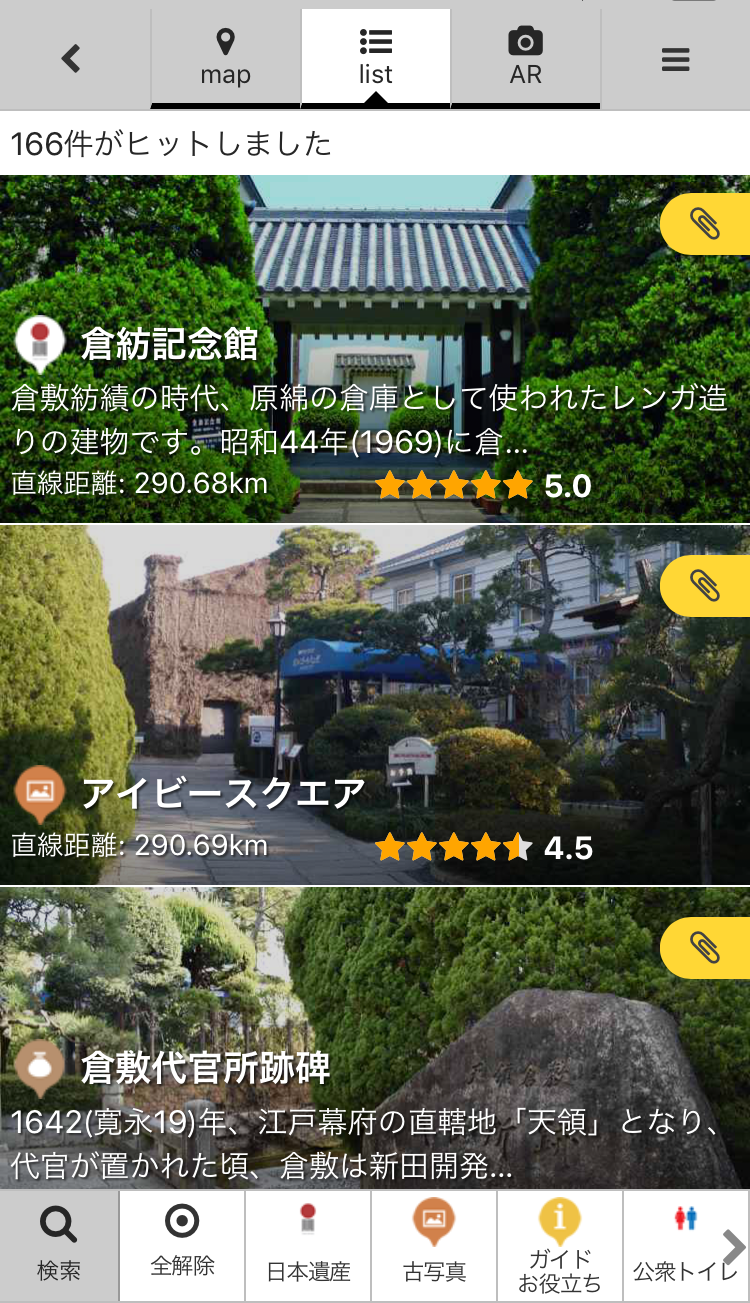
リスト表示では、近い順にスポットが確認!
The "List" will display the spots in order of closeness to you.
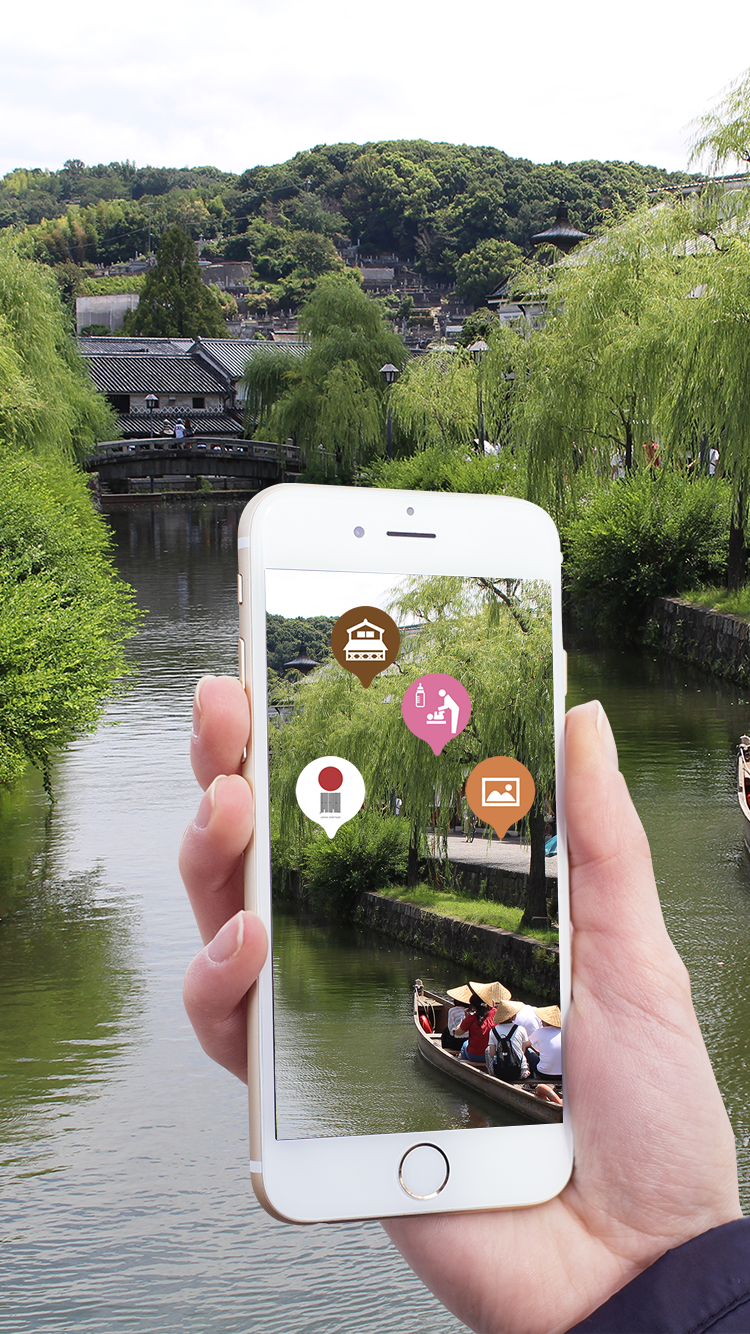
AR表示では、スマートフォンを向けた方角にスポットが表示されるので、方向音痴でも大丈夫!
The "AR" feature shows you the spots in the direction where the smartphone is pointed.
Don't worry if you have no sense of direction!各スポットは、基本情報や解説を記載。知らないスポットでも見どころがわかります!
The "Spot Details" provides information and descriptions of each spot.
So you won't miss out the highlights!
Special & Useful featuresお楽しみ & お役立ち
-
- PICK UPWi-Fi無くても大丈夫!
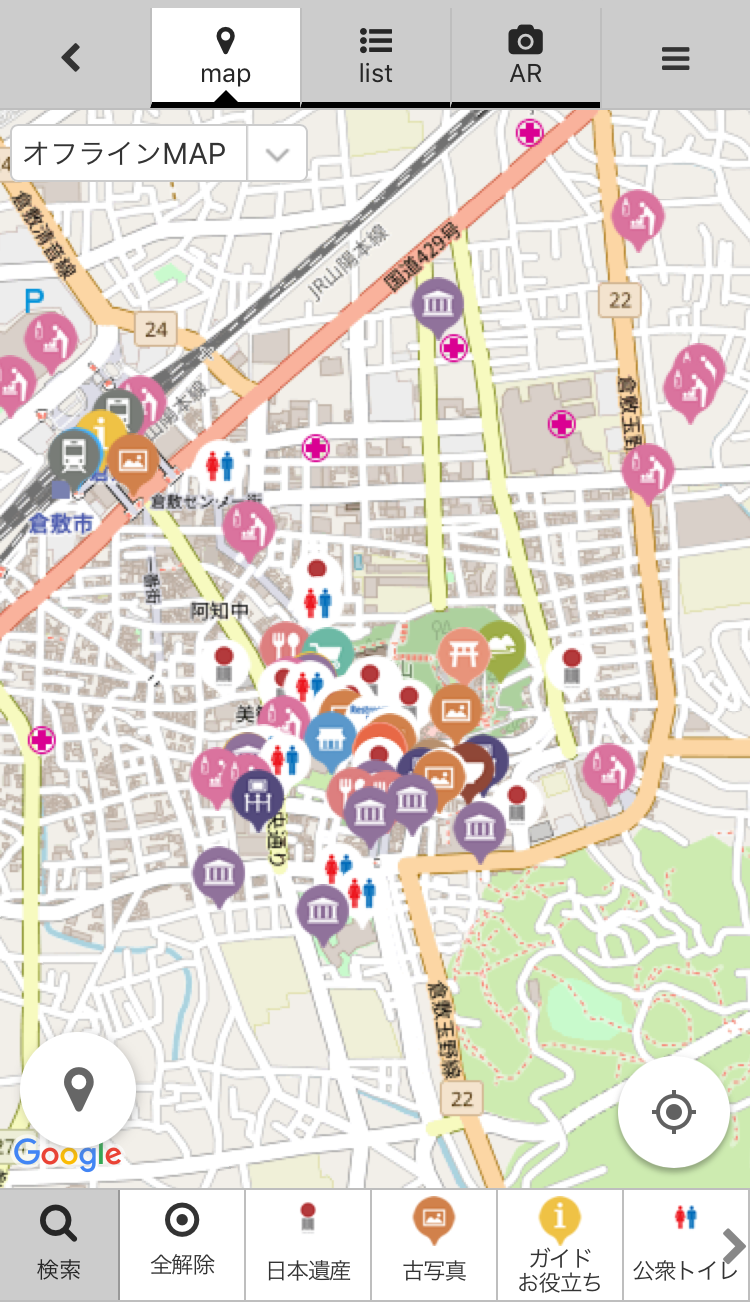
オフラインマップOffline maps : They work without Wi-Fi! -
旅行先でネット環境が無い時が心配ですよね。
安心してください。
オフラインマップも使えるので、ネット環境がなくても地図を閲覧することができます。
安心してまち歩きをお楽しみください。
The lack of an Internet connection at a travel destination is often a concern.
Well, there’s no need to worry!
Our app also uses offline maps so you can view them without an Internet connection.
Enjoy walking around town without any worries.
- PICK UPWi-Fi無くても大丈夫!
-
- PICK UP気になったらすぐタップ!
ブックマークBookmarks : If you see something of interest, tap it! -
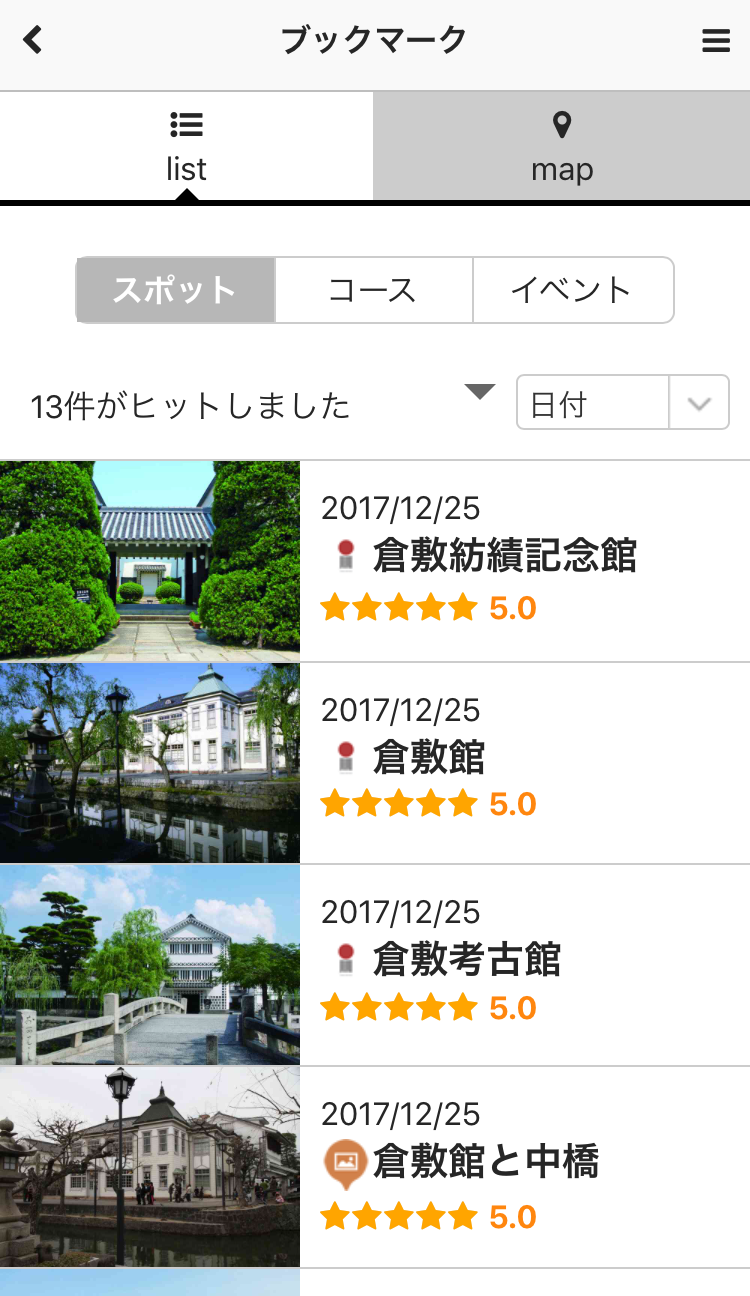
「ブックマーク」をタップすると、ブックマークに保存した情報が簡単に確認できます。
リストの表示はスポット、コース、イベントで切り替えができます。
ブックマークに保存したスポットがマップ上でも確認できます。
If you tap “Bookmarks”, you can easily check the information you’ve saved to your bookmarks.
In list mode, you can switch between destinations, tour routes, and events.
You can also see the destinations saved in your bookmarks on the map.
- PICK UP気になったらすぐタップ!
-
- PICK UPココへ来た想い出に
記念写真Commemorative photos : Create memories about your visit here. -
「記念写真」ボタンをタップするとカメラが起動します。
好きなフレームを選んで撮影しよう。写真には日付も残るので、ココへ来た想い出をどんどん残しましょう!
Tap the “Frame” button to activate the camera.
Choose the frame you want and take a picture.
The date will be added to your photo, so you can leave a series of memories about your visit here!

- PICK UPココへ来た想い出に
-
- PICK UPめざせ健康! 歩数計Pedometer : Set health goals!
-
当日の歩数が画面左上に表示されます。
The top-left corner of the screen can show you how many steps you’ve taken that day.